MotionInput provides 24 different AI-enhanced features allowing customizable interactions—all processed locally with privacy-safe, offline AI.
Using your nose or eyes, and a set of facial expressions to trigger actions like mouse button clicks, or with speech - say "click". Nose Tracker mode will use your nose directly as a mouse.
A powerful selection of hand gestures that can be recognised and mapped to specific keyboard commands, mouse movements and more!
An auto-calibration method for eye-tracking that obtains the gaze estimation.
Users can set physical exercises and tag regions in their surrounding space.
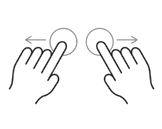
Control your computer with multitouch gestures in the air.
Advanced algorithms to smooth out unintended movements.

Use elbows and knees as alternative input methods.

Trigger typing mode by raising your hand.

Define virtual zones in space for different actions.

Navigate in three dimensions with hand movements.

Use body lean direction for navigation and control.
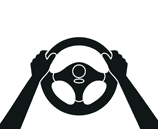
Simulate steering wheel motions for racing games.

Draw and paint using finger movements in the air.

Voice commands for clicks, shortcuts, and custom phrases.

Convert speech to text in real-time.

Text-to-speech functionality for accessibility.
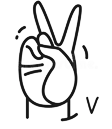
Sign language fingerspelling recognition.
Specialized speech recognition for users with speech impairments.

Use blinks as input triggers with noise filtering.

Detect colors and sounds as alternative inputs.

Use multiple cameras for enhanced tracking.

Move forward in games by running in place.

Create custom visual indicators for movements.
Define your own gesture patterns and movements.
Requirements: Windows 10/11 PC, webcam, Vigembus (for joypad), .NET 3.1